MadGamePad
A downloadable tool for Windows
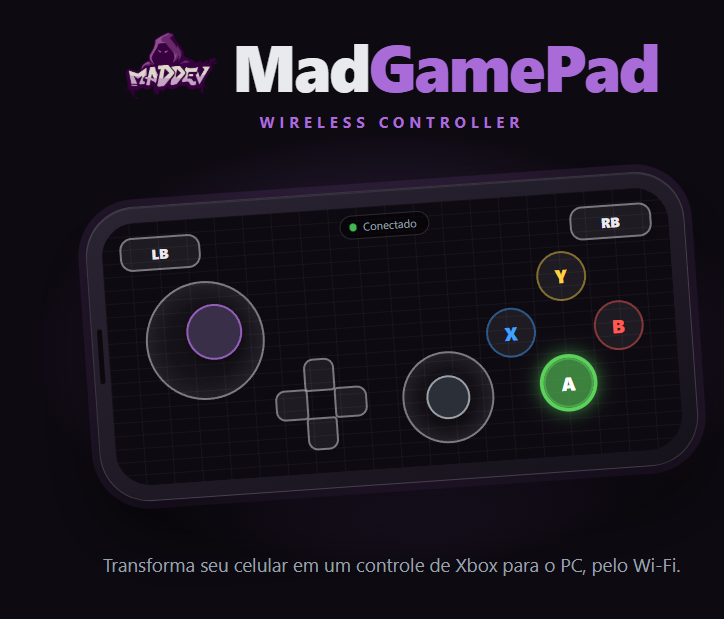
Turn any phone into an Xbox controller for your PC, over Wi-Fi. Nothing to install on the phone: scan a QR code and play. Every phone becomes a separate player, which makes it perfect for local multiplayer and couch co-op.
FEATURES
• Full Xbox layout: two sticks, D-pad, ABXY, bumpers, triggers, Start, Back, Guide, and L3/R3 by double-tapping a stick
• Shows up as a real Xbox 360 controller: works with Steam, emulators and any game with controller support
• Multiple phones at once: P1, P2, P3, P4…
• Fully editable layout: drag, resize, recolor, remap any button, create combos, add extra buttons and sticks
• Turbo and auto-press: Normal, Toggle, Turbo and Auto modes, 2–30 presses per second
• Fixed or floating sticks with adjustable deadzone, sensitivity and Y inversion
• Profiles per game, custom backgrounds, profile import and export
• Game rumble on the phone (Android)
• PC dashboard with QR code, latency, live inputs, identify, kick, lock and optional PIN
• Wi-Fi safe: releases all inputs instantly if the connection drops, and reconnects to the same player slot
HOW TO USE
1. Extract the zip and run MadGamePad.exe
2. On first run, accept the bundled ViGEmBus driver install, then open MadGamePad again
3. Allow it through the Windows Firewall (Private networks)
4. Scan the QR code with your phone (same Wi-Fi) and rotate it to landscape
REQUIREMENTS
Windows 10/11 64-bit · any phone with a modern browser · PC and phone on the same network. No internet required. XInput games support up to 4 controllers. Vibration and fullscreen are not available on iPhone
Download
Click download now to get access to the following files:
Leave a comment
Log in with itch.io to leave a comment.